





I Had AI Make Me A File Manager
I love file managers. The first post on this site was about a file manager. I’ve made many videos about file managers over the years. I’ve actually been going through a bit of upheaval with file managers on Linux lately. For years, I used Krusader. I love Krusader, it has a ton of features, and is just about everything I would ever want in a file manager. Lately, however, I’ve uninstalled all the graphical file managers on my system and have been using Ranger instead. My needs have simplified over the last year, and I no longer need all the things that Krusader does. I don’t need the entire Plasma stack on my system just so I can run my favorite app.
Ranger has been fine. It does what I need it to do. It did take some getting used to the lack of drag and drop, but that shit doesn’t work well on Wayland half the time anyway, so it wasn’t a big loss. But now that I’m using a terminal file manager, I’ve been curious about what others are out there. I’ve tried most of them throughout the years, but I need to refresh my memory.
The one blind spot for most of the popular apps is dual pane functionality. I would love if Ranger had something like MC, but it doesn’t. Now if I were a developer, I would just try to add it myself. And I may try to do so. But I was curious (and bored) last night, so I thought I’d ask Claude Code to make me a terminal file manager that had dual pane functionality, was easily configured, and had image preview functionality.
Now, if you build that and run it, you’ll see a dual pane file manager. It was written by AI in Rust, and took less than 10 minutes to make. As far as I know it works fine, though it is rough around the edges. It may also rm -rf / your entire disk, so I wouldn’t suggest actually using it. I don’t know enough Rust to ensure it actually does what it should do.
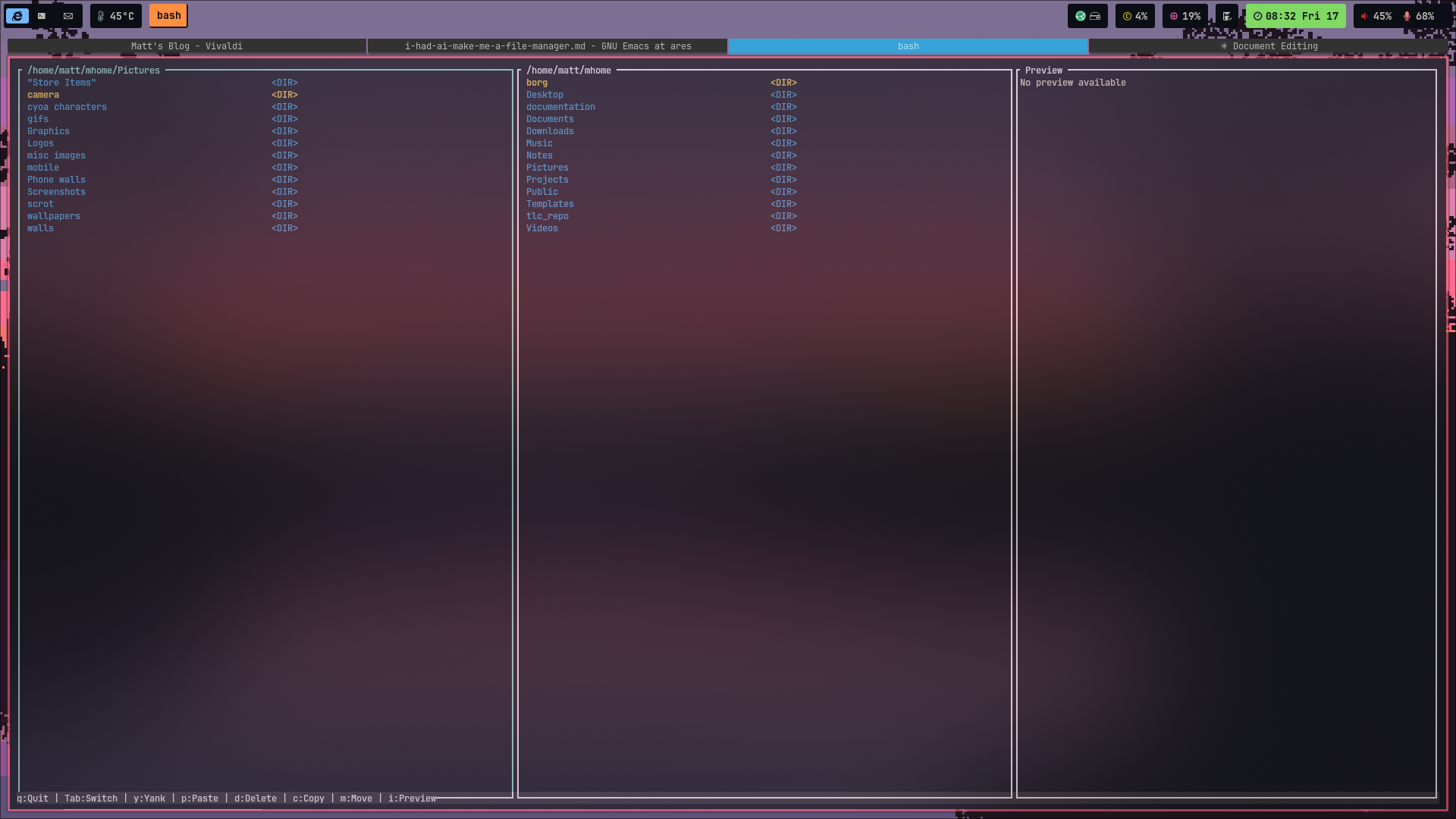
Two things get me about this entire process: first, it was very fast. If I were a small time developer, I’d be a bit scared (and as an editor of words, I too am scared for my job). AI may not take over everything when it comes to programming, but the small time stuff it seems to be pretty good at. It’s scary because it will definitely get better. The second thing that hit me was that despite how impressed I am with what Claude created, I wouldn’t actually use the thing it created. I have no trust for Minifile, and not enough knowledge to build that trust.
As time goes on, and I use AI more, I trust it less and less. Claude, for example, cannot seem to remember that it only has permission to do things in the directory it is spawned in. It has attempted many times to do things in my $HOME directory, and even when you tell it no, it does it anyway. I’ve also found that it makes the dumbest mistakes when writing code, and when corrected, it often goes right back and makes the same mistake again. Sure, it can do some impressive stuff, but if I (a non-developer) can catch these things, what’s in that code that I can’t catch?
I’m not as Anti-AI as some people, though I do get almost all of the complaints against it. I think for automation, AI has some great application. For a completely irrelevant example, I created a new waybar theme the other day. I did the work (after stealing someone’s base dots 🤣), and then I wanted to have that theme in several other colorschemes. So I told Claude to do it. Claude is great at typing in color codes, and much faster than I am at doing it. There are surely other uses for it, but for mission critical stuff, I’m not sure when I’d trust AI to do the job. I really think that the train needs to slow down a bit until we, as a society, are able to trust the AI output more.
Minifile seems to be a good start at a dual pane file manager. It is cool that AI made it so quickly and that it appears to be so close to what I asked for. But it isn’t trustworthy, and that’s a problem. All this has done is made me think more about my own use of AI, and how it’s very important to know exactly what that robot is doing. I’ll keep looking for a dual pane file manager that I like. One written by humans, that is.

Support My Work
If you enjoy this content, consider supporting me on Patreon to help keep it going!
Become a Patron