





What Is A Window Manager?
I talk about window managers a lot. Like, a lot. I’ve written about Qtile, Xmonad, Niri, and how much I miss them when I wander off to a desktop environment. But it hit me the other day that I’ve never actually explained what a window manager is. I just kind of assume everyone knows.
Not everyone knows. And that’s fine. So let’s fix that.
The Simple Answer
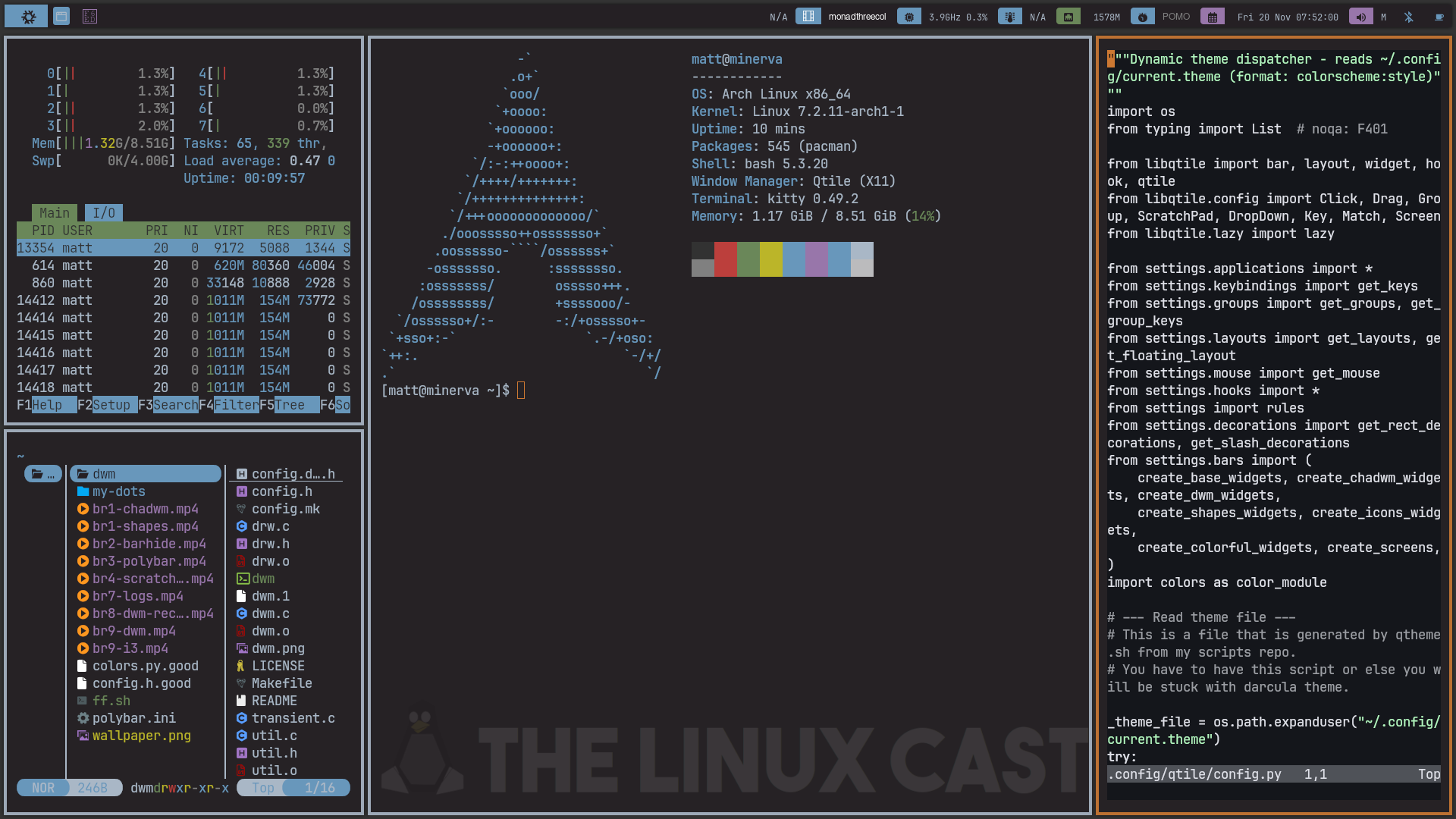
A window manager is the program that decides where your windows go and what they look like. It draws the borders, puts the title bars on (if there are any), decides which window has focus, and handles what happens when you move or resize something.
That’s the job. Every graphical Linux system has one. If you have windows on your screen, something is managing them.
But I Use Gnome. I Don’t Have a Window Manager.
Yes you do. You just don’t see it.
Every desktop environment has a window manager built into it. Gnome uses Mutter. KDE Plasma uses KWin. XFCE uses xfwm4. They’re just one piece of a much bigger package that also includes the panel, the settings app, the file manager, the notification system, and all the other stuff that makes a desktop a desktop.
When people in the Linux world say “I use a window manager,” what they really mean is that they use only a window manager. They’ve thrown out the rest of the desktop environment and built their own setup around just that one piece.
Wait, What About Wayland?
On X11, the window manager is its own separate program. X draws things on the screen, and the window manager just tells it where the windows should go. That’s why there are so many X window managers. You can swap them out like you would any other app.
Wayland doesn’t work like that. On Wayland, the thing that manages your windows is also the thing that draws everything on the screen. That’s called a compositor. Wayland window managers like Hyprland, Sway, and Niri are all technically compositors, and so are Mutter and KWin when you’re in a Wayland session. That’s why your favorite X11 window manager can’t just run on Wayland. Somebody has to rebuild it from the ground up.
Do most people care about that distinction? No. We call them all window managers, and you’ll hear me do it all the time. But it’s good to know why the Wayland list is so much shorter.
The Different Kinds
Not all window managers work the same way. There are a few main types.
Floating (or Stacking)
This is what you’re probably used to. Windows open wherever, they overlap each other, and you drag them around with the mouse. Windows and macOS work this way, and so do most desktop environments. Standalone floating window managers like Openbox and Fluxbox exist too, and they’re very light.
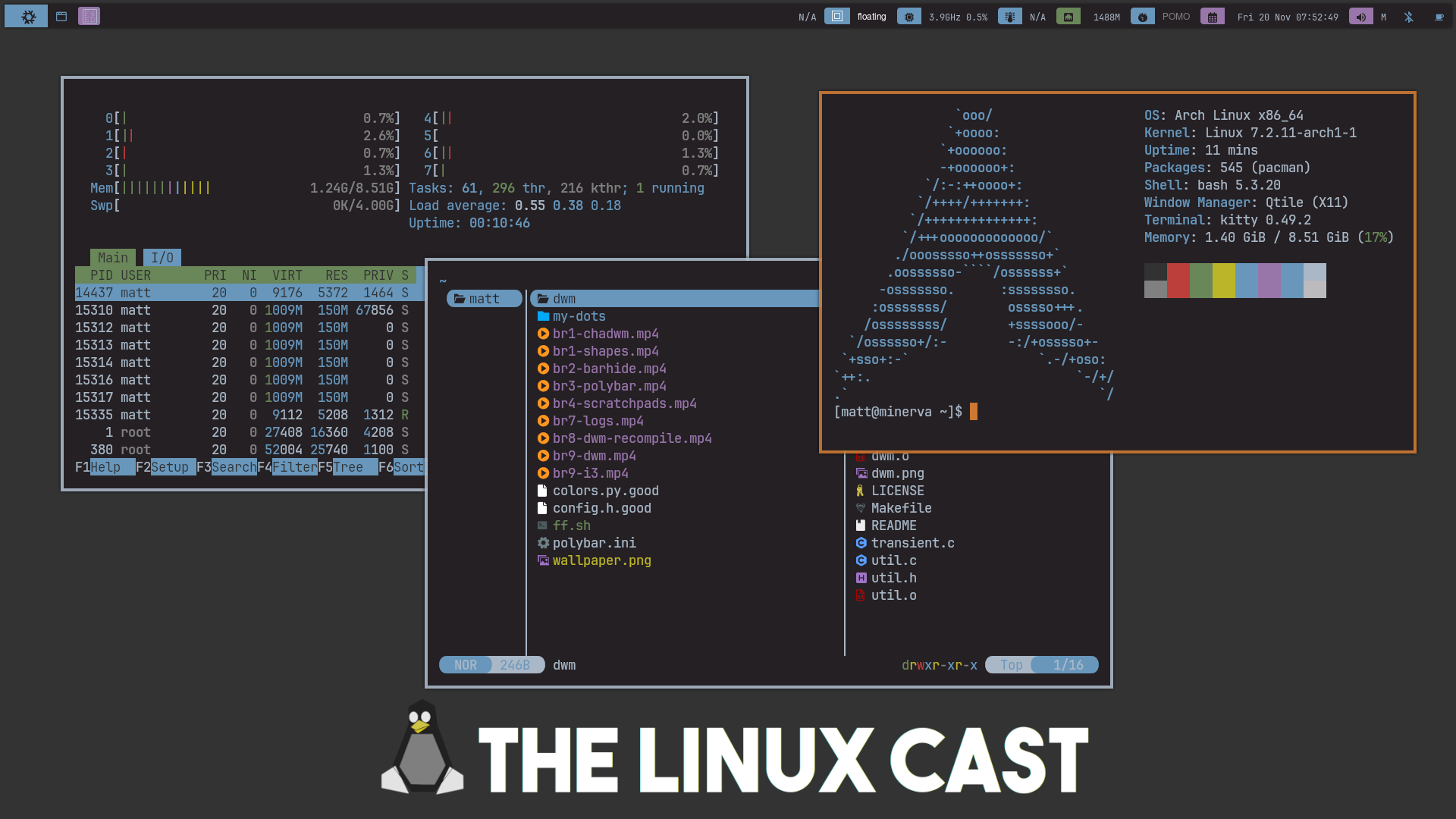
Note: That’s Qtile in its floating layout. Most tiling window managers can do this too.
Tiling
This is where most of us WM nerds, like me, live. A tiling window manager arranges your windows for you so that they never overlap. Open one terminal, and it takes up the whole screen. Open a second, and the screen splits in half. Open a third, and things split again. Everything is always visible, and nothing is ever hiding behind anything else.
There are two flavors of this. Manual tilers, like i3, make you decide where the next window goes (split this one horizontally, split that one vertically). Dynamic tilers, like DWM, Xmonad, and Qtile, use layouts and do the arranging for you. Neither one is better. It’s a matter of taste. I cut my teeth on i3 and DWM, so I’ve done both.
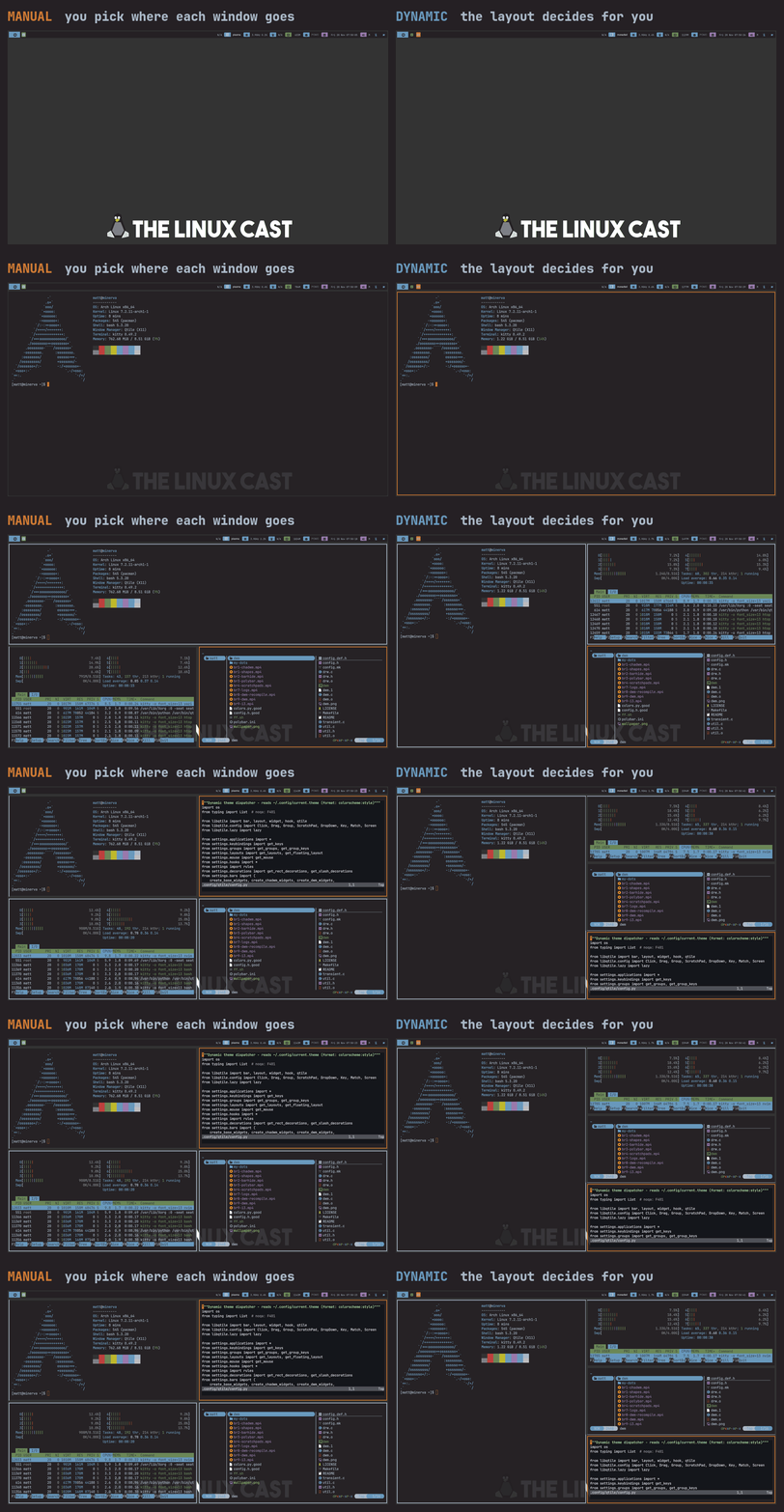
Note: Both sides are Qtile. Its Plasma layout tiles by hand like i3 does, and MonadTall does the arranging for you.
Most tilers will also let you float a window when you need to. Dialog boxes, pop-ups, that sort of thing.
Scrolling
This is the new kid on the block. Niri is the big one here. Instead of splitting the screen, each new window gets added to a strip that goes on forever, and you scroll left and right through it. It sounds weird, and it is a little weird, but when I tried it, I liked it way more than I thought I would. I even added a scrolling mode to my own window manager, mattwm.
What You Give Up
When you drop the desktop environment, you drop everything that came with it.
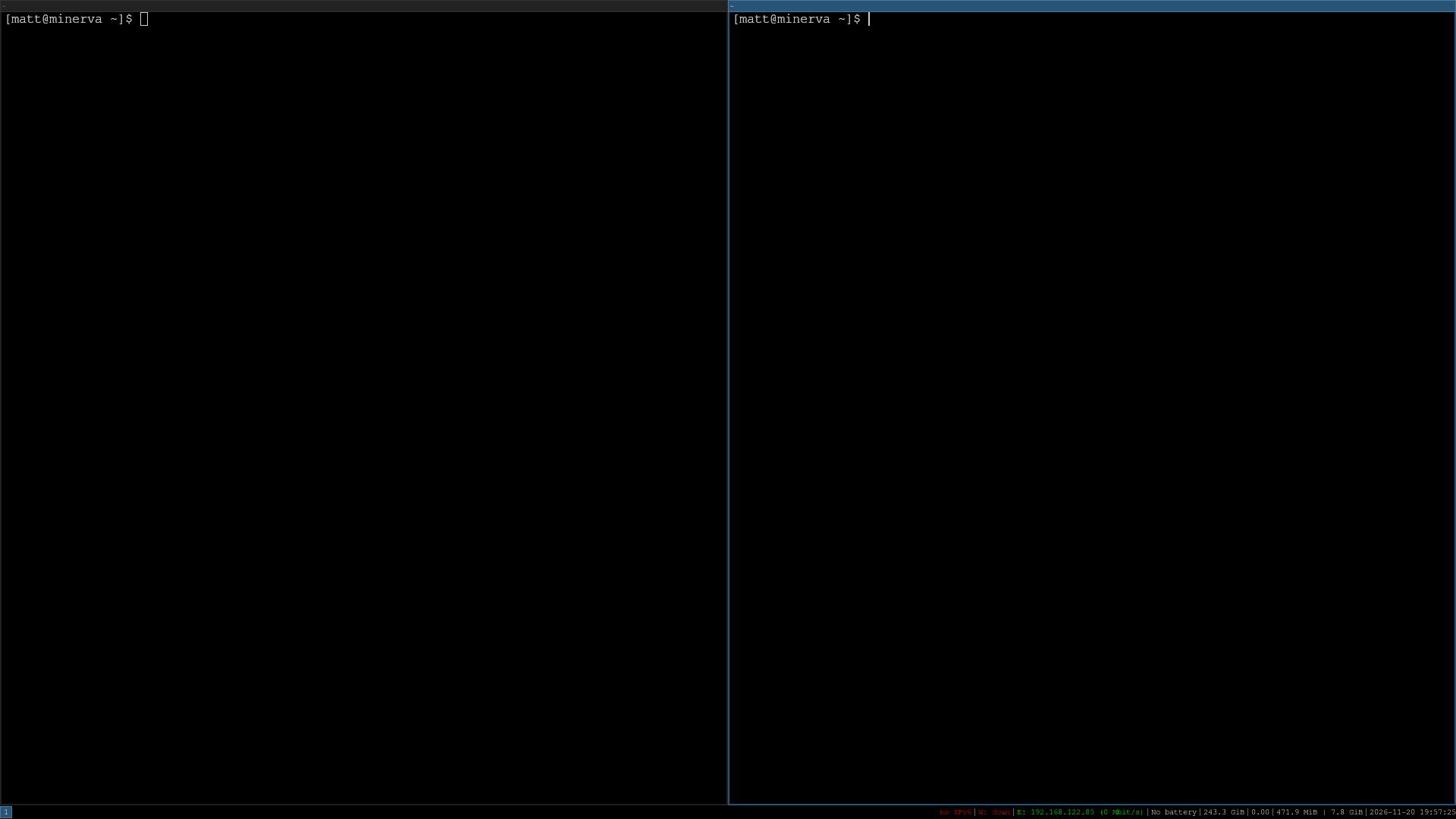
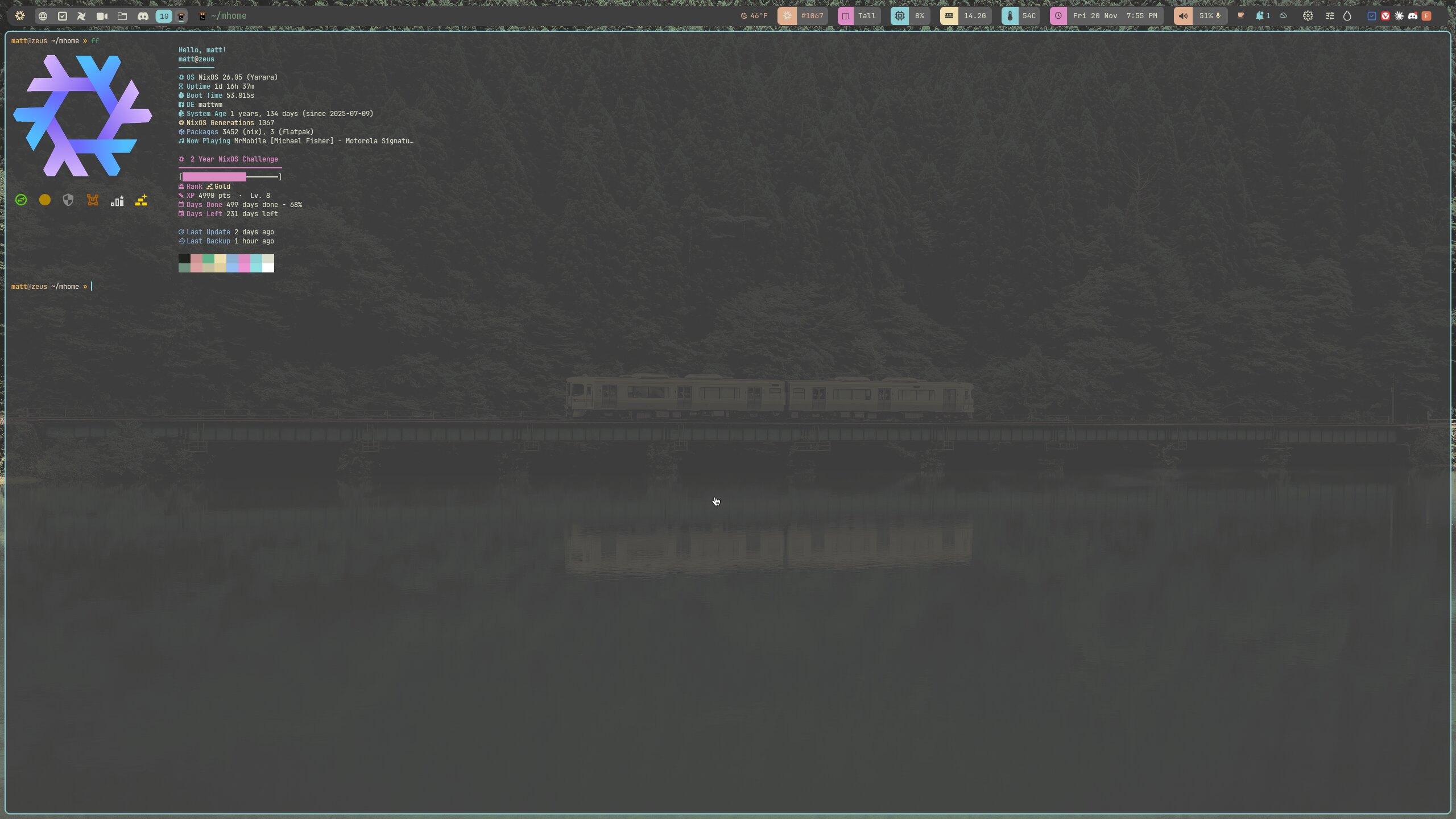
Note: That’s i3 with its default config, nothing changed. Compare it to the Qtile shots above.
No settings app. No panel unless you set one up. No notifications unless you install something like dunst. No app launcher until you set up rofi or dmenu. No wallpaper until you tell something like feh to put one there. If you’re on X11, you’ll probably want a compositor like picom too, for transparency, shadows, or less screen tearing. Even stuff like mounting drives from a file manager needs polkit running, which a desktop environment usually handles for you.
Go look at the startup section of any WM config and you’ll see what I mean. Mine is basically a list of all the things Gnome would have just done for me.
And all of it gets set up in text files. Some of those are simple, like i3’s config. Some of them are actual code. Qtile is configured in Python. Xmonad is Haskell, which is why it and I have such a long history. DWM is C, and you have to recompile it every time you make a change.
So Why Bother?
Because once it’s set up, it’s yours. Every single piece of it.
I can do almost everything without touching the mouse. Every app opens where I want it to, on the workspace I want it on. I can have a terminal pop up out of nowhere with one key and disappear with the same key. And when I get bored of how it looks, I change it. Some people think ricing is a waste of time. I think it’s half the fun.
It’s also fast. A window manager by itself uses a fraction of the memory a full desktop does. On older hardware, that can be the difference between a computer that’s usable and one that isn’t.
The downside is time. You will spend hours getting it right, and then hours more fixing it when an update breaks something. If you just want your computer to work so you can get on with your day, a desktop environment is probably the right call, and there’s no shame in that. I’ve spent plenty of time in Gnome and Plasma myself.
Where to Start
If you want to try one, I’d start with i3 if you’re on X11. The config file is easy to read, the documentation is great, and it’s been around forever, so there’s an answer for every question you could have. If you’re on Wayland, Sway works almost exactly like i3, and Hyprland is there if you want something flashier.
Install it alongside your current desktop. You’ll be able to pick it from the login screen, and if you hate it, you can just log back into what you had. No harm done.
Do you use a window manager? Which one did you start with? Let me know in the comments below!

Support My Work
If you enjoy this content, consider supporting me on Patreon to help keep it going!
Become a Patron